How to play

Everything about CluPix, the picture quiz you solve from one photo and a few clues — step by step, with screenshots.

Screenshots show the web version. The app works the same way.

Getting started

No sign-up or login — you can start right away.

  • Web: tap “Start” on the first screen and a guest account is created in this browser.
  • App: install it and open it, and you are in.
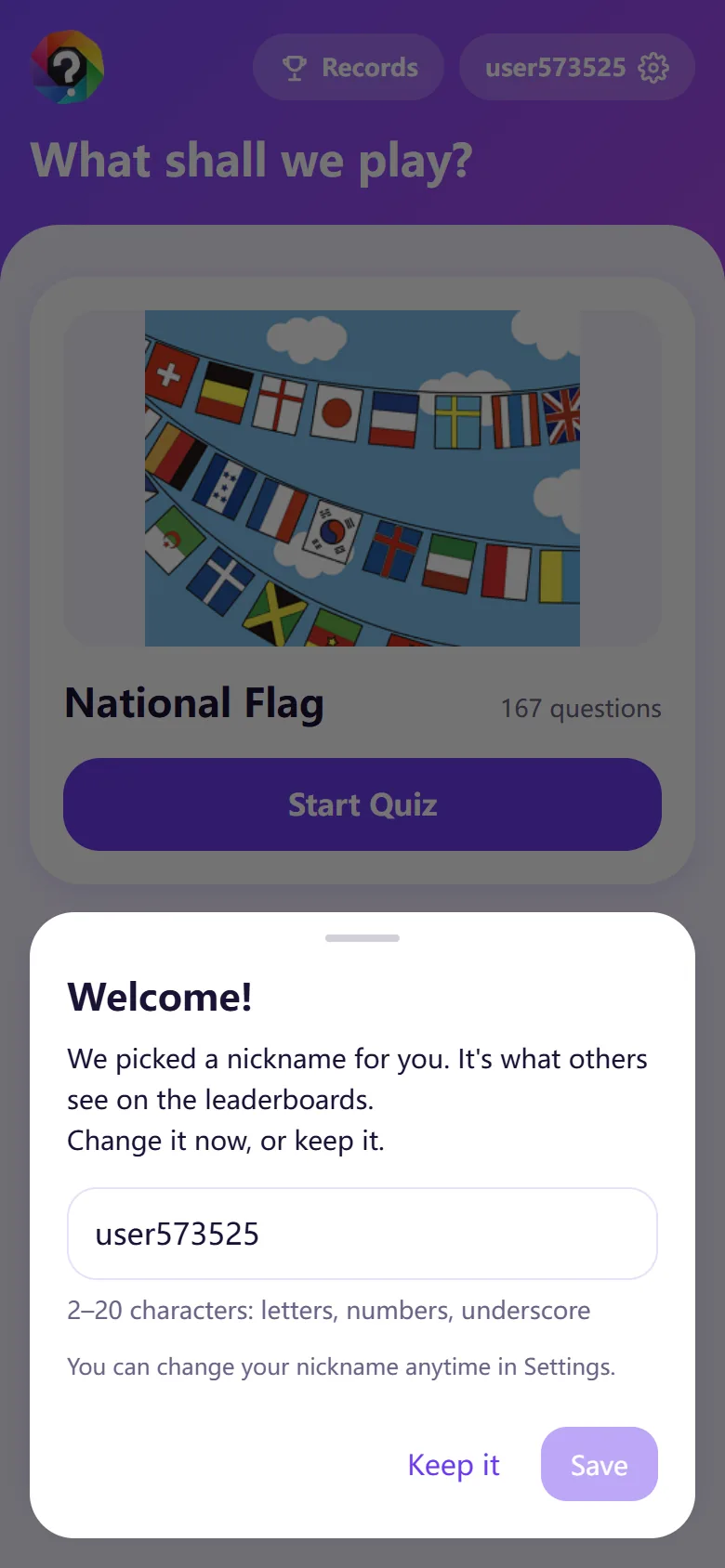
  • You get an automatic nickname at first. It is the name shown in rankings, so change it now if you like — or later in Settings.
  • Nicknames are 2–20 characters (letters, numbers, underscore), and you cannot take one someone else is using.

The web and the app use separate accounts (and so does each browser). Records and CP tokens do not carry over, but everyone plays the same quizzes and rankings.
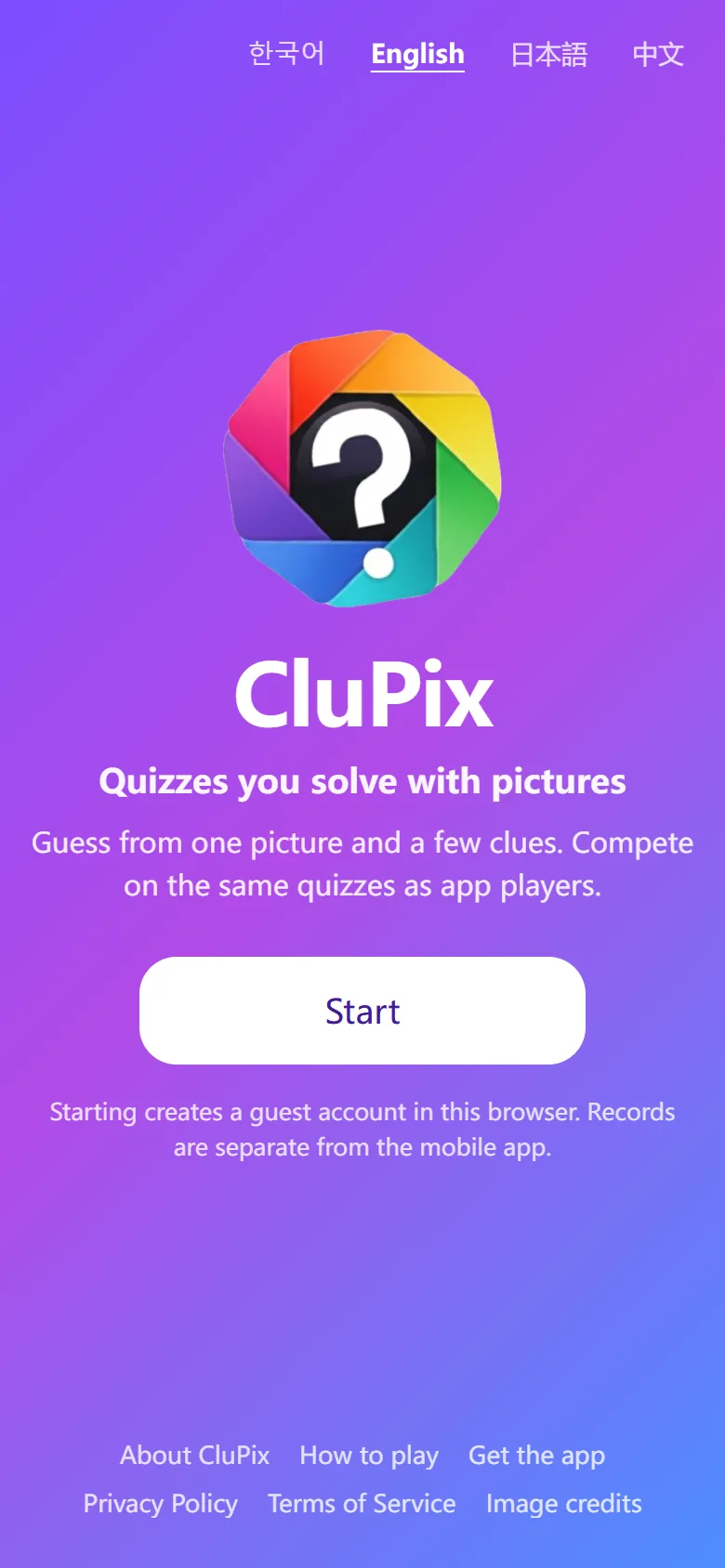
Web first screen with the CluPix logo and the Start button
Web first screen — “Start”
Welcome dialog for choosing a nickname
Pick a nickname when you first start

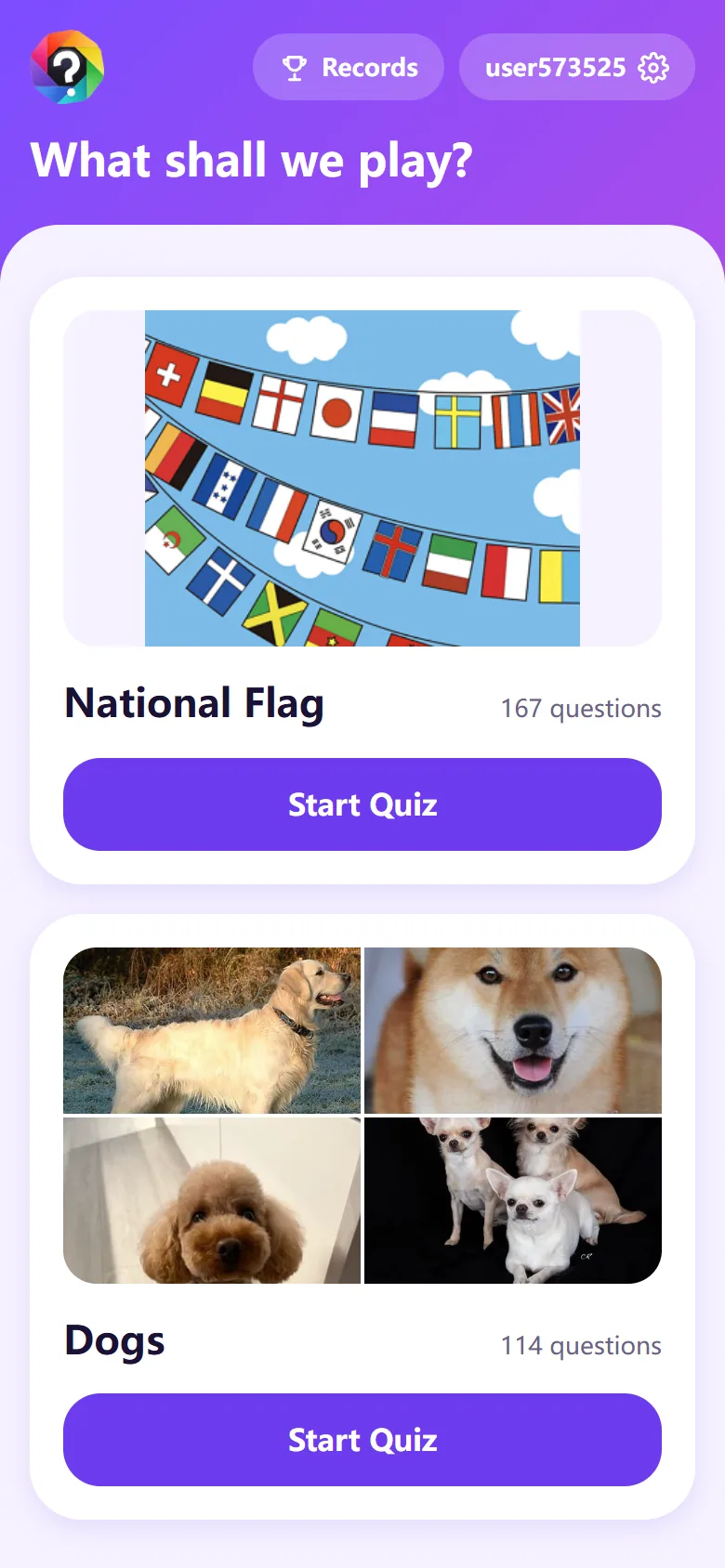
Choosing a category

  • On the home screen, tap “Start Quiz” on the category you want. There are flags, dogs, football players and more, with new ones added over time.
  • Each category supports different languages. If yours is not supported yet, you will see “This language isn’t ready yet”.
  • Use “Records” at the top right for past quizzes, and the nickname button for Settings.
Home screen with flag and dog category cards
Home — categories

How to start

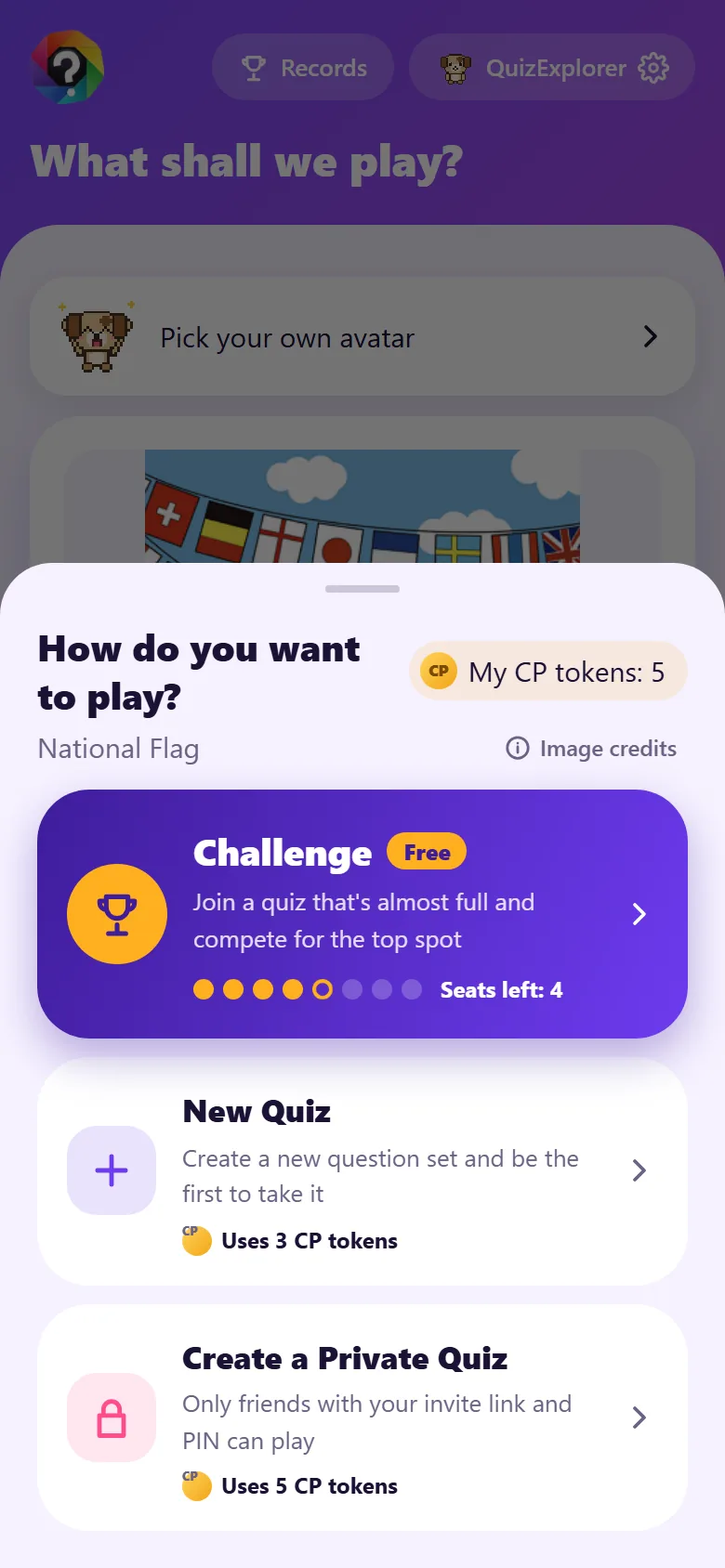
  • Challenge: take a set someone else made, answer the same questions and compete for rank. No tokens needed. We pick a quiz that is almost full for you — or make a new one for free if there is none.
  • New Quiz: create a new set of 10 questions and be the first to take it. It costs 3 CP tokens — free if there is no quiz to join.
  • Private quiz: set a 4-digit PIN to make a quiz just for your friends. It costs 5 CP tokens. Only friends with your invite link and PIN can play, and you can always see the PIN in My Records.
  • Continue: shown when you have a quiz you stopped in the middle. Starting over ends it, and the remaining questions count as wrong.
  • Up to 8 players can take each question set.

You can always play Challenge, even without enough CP tokens.

How do you want to play? New Quiz and Challenge
How to start — shows the token cost

Answering questions

Each round has 10 questions, in three types.

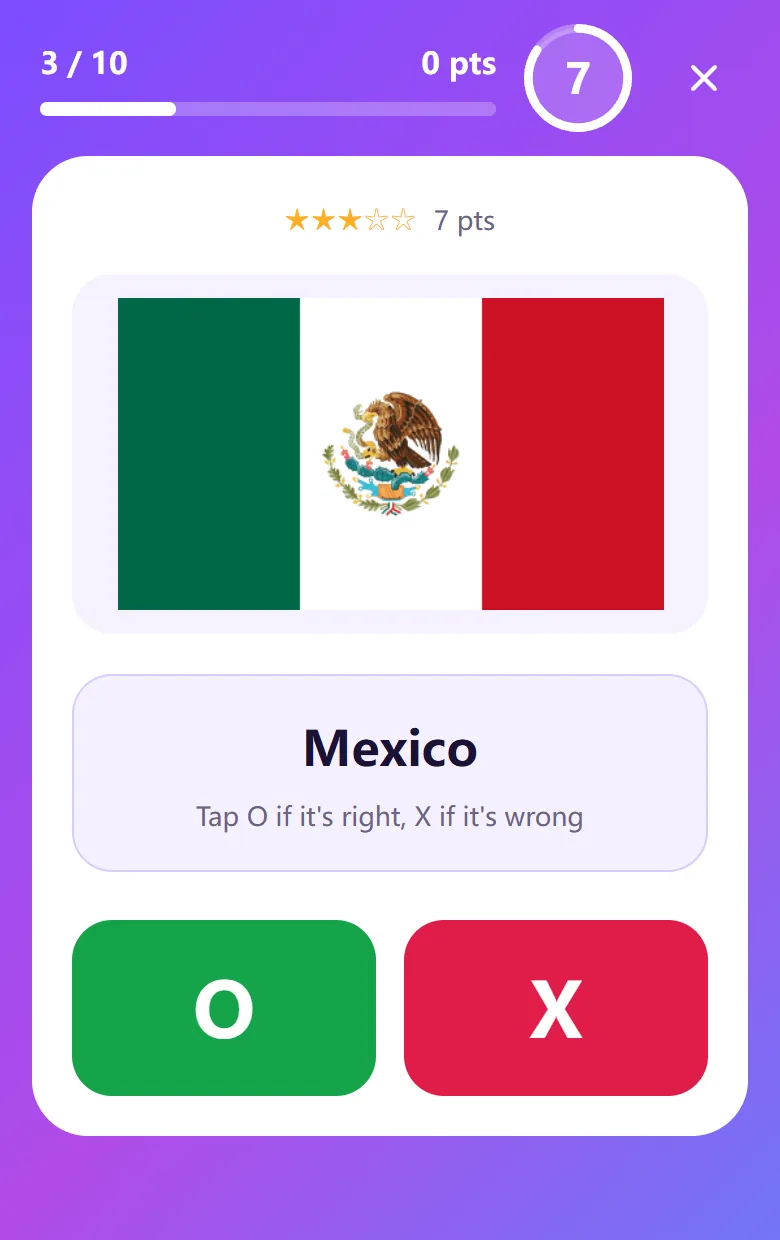
  • True/False (7 s): tap O if the picture matches the name, X if it does not.
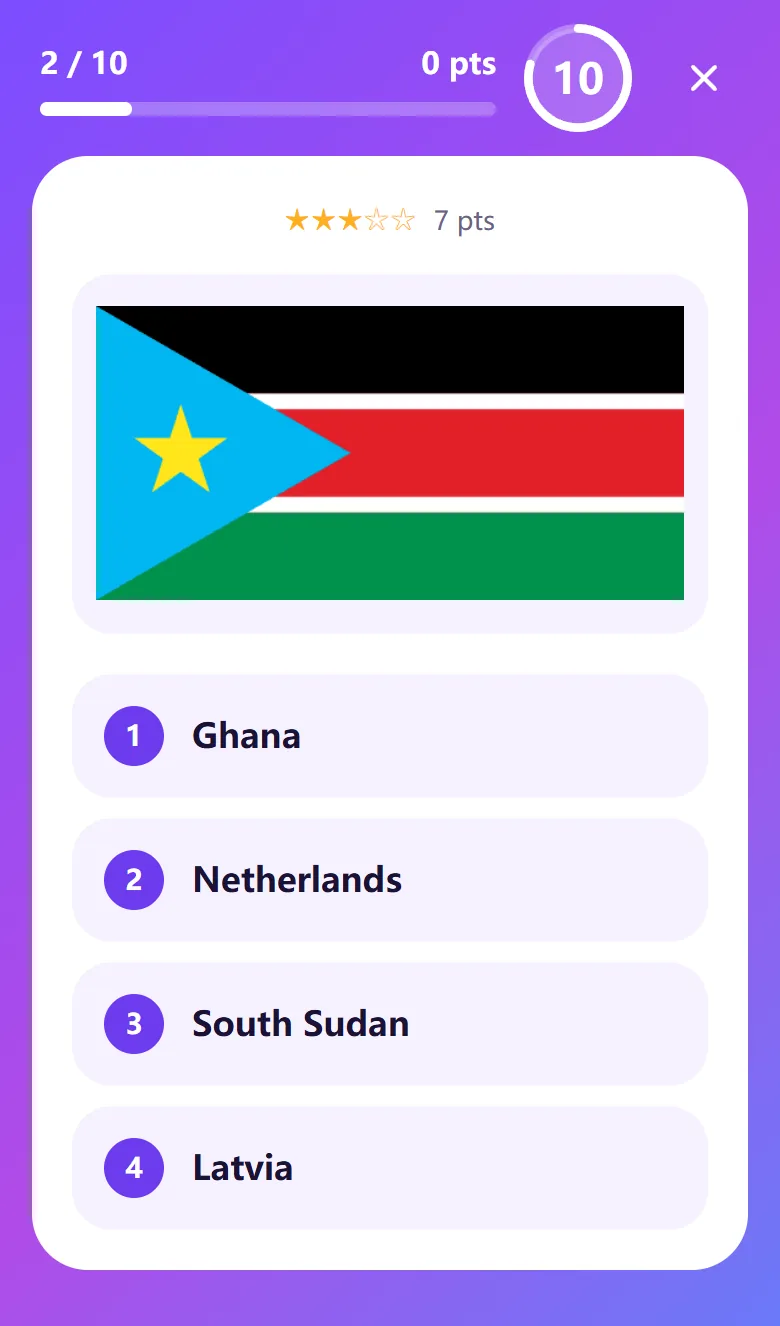
  • Multiple choice (10 s): look at the picture and pick the right answer out of four.
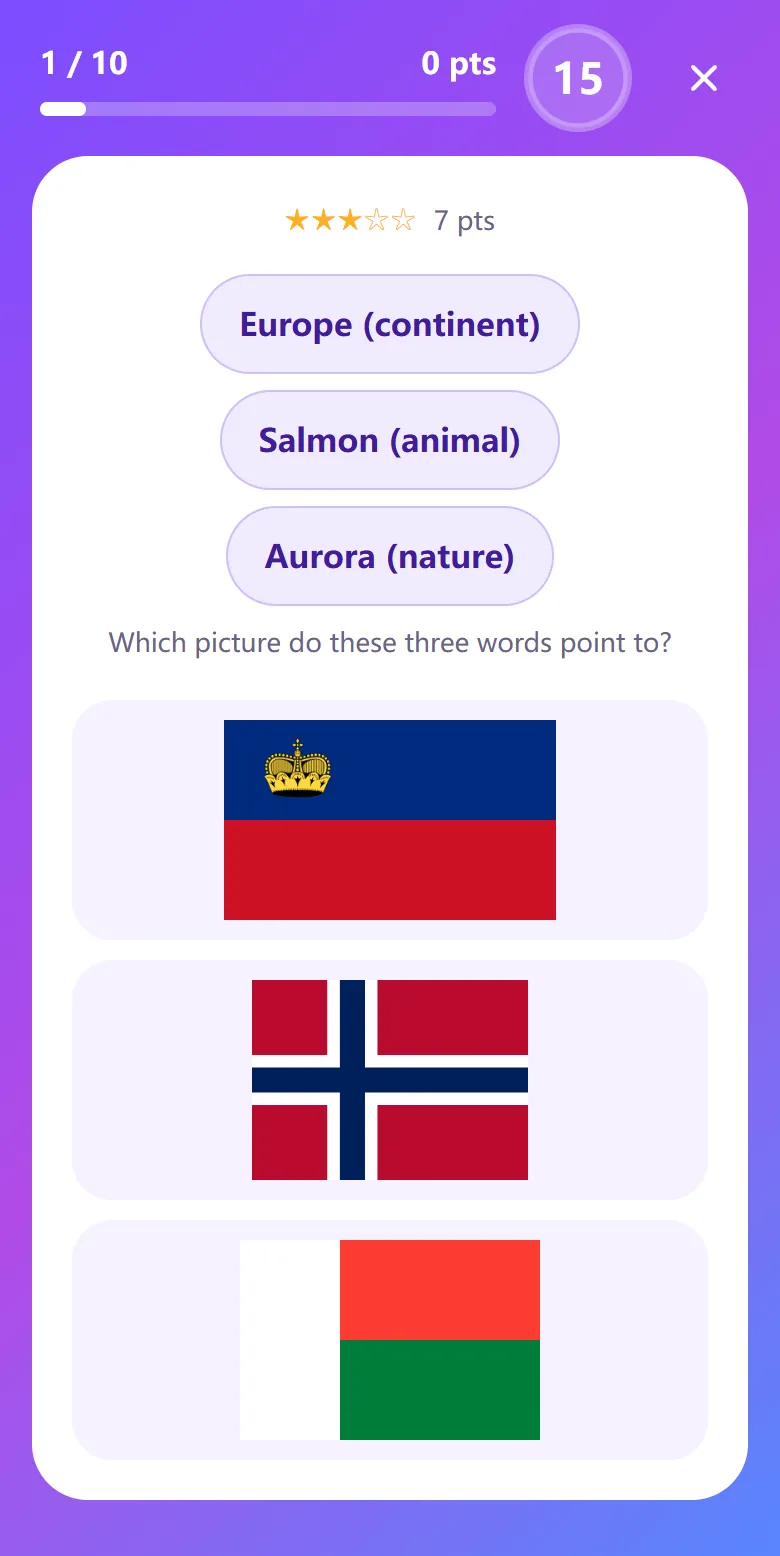
  • Word clues (15 s): pick the picture, out of three, that three words (continent, capital, specialty…) point to.

The circle at the top right shows the time left. If time runs out, the answer counts as wrong.

Tap ✕ (Quit) to stop: the question you are on counts as wrong, and you can pick up where you left off later.

True/false question: a flag, a country name, O and X buttons
True/False
Multiple-choice question: a flag and four options
Multiple choice
Word-clue question: three words and three flags
Word clues

Scoring

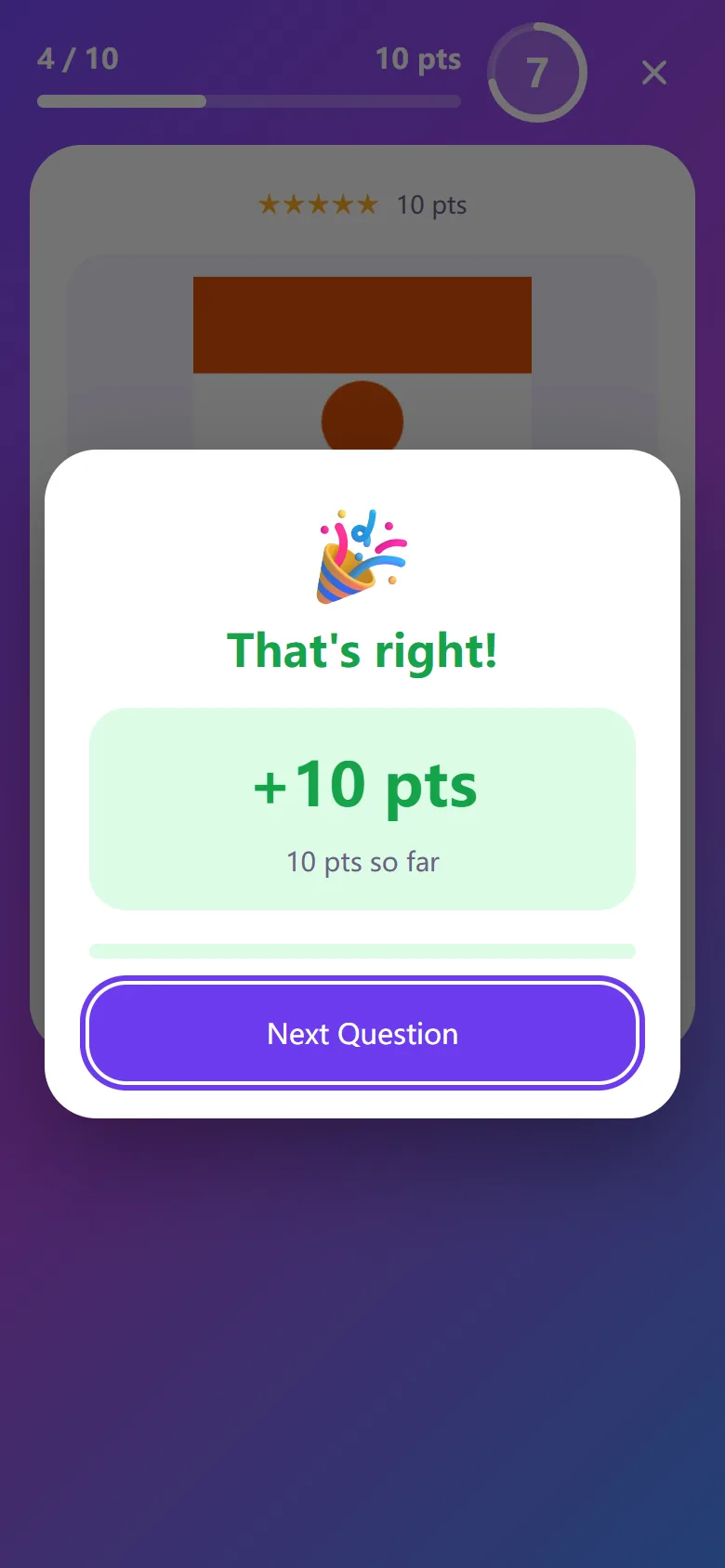
  • The stars (★) above a question show its difficulty. A correct answer earns 5–10 points depending on it (★ 5, ★★ 6, ★★★ 7, ★★★★ 8, ★★★★★ 10).
  • Difficulty comes from how many players get the question right — the harder it is, the more it is worth.
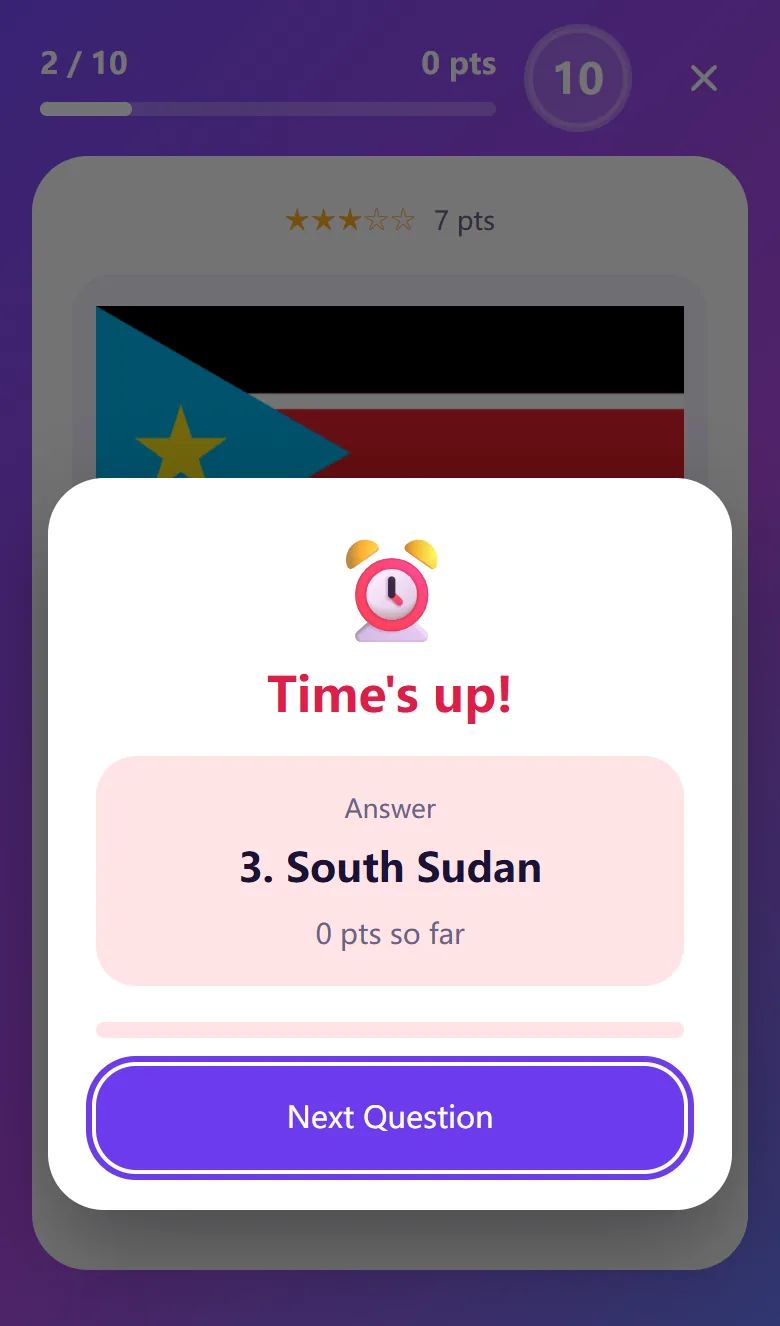
  • A wrong answer or running out of time scores 0, and you are shown the right answer.
  • Answering faster does not earn more — just answer within the time limit.
That’s right! +10 points
Points earned for a correct answer
Time’s up! The answer: 4. Niger
When time runs out, you see the answer

Results and rankings

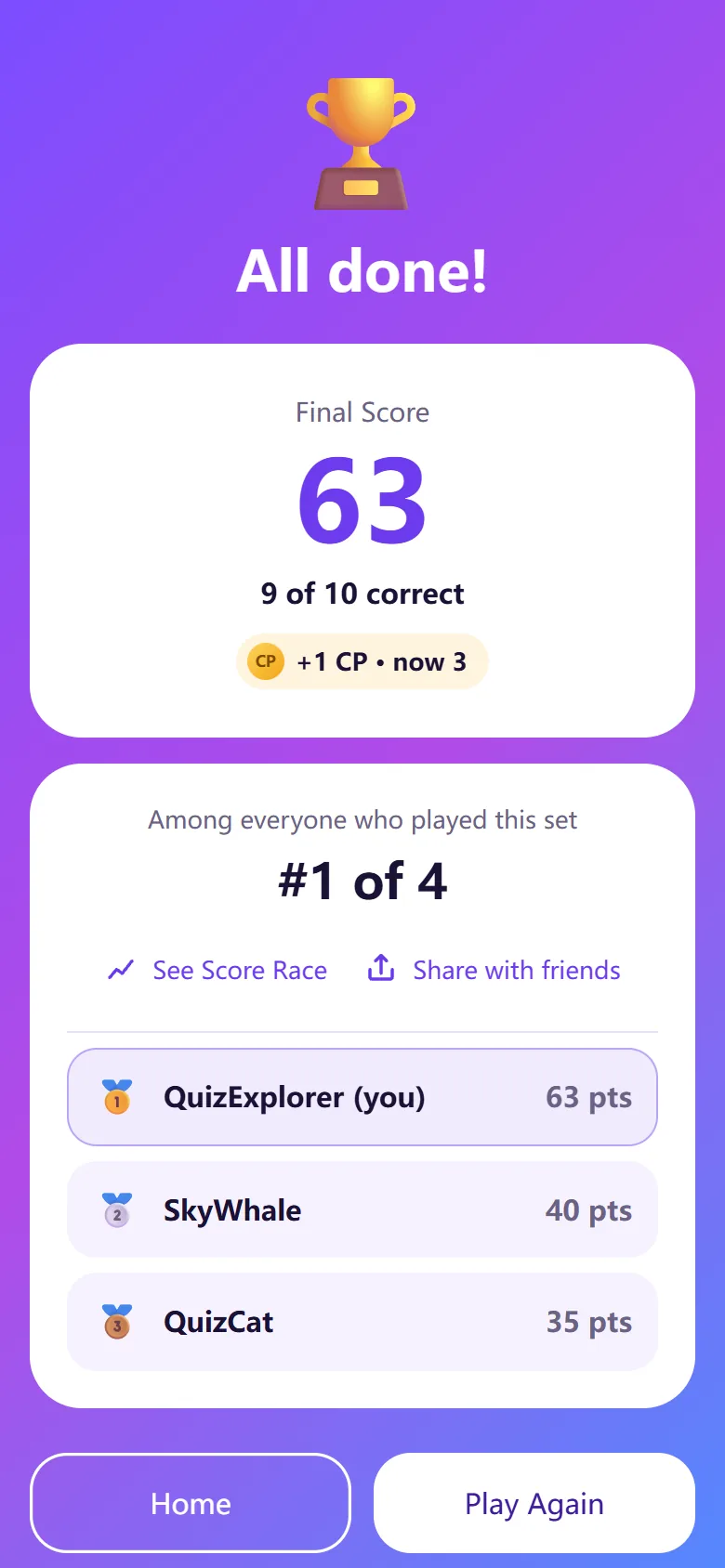
  • After 10 questions you see your final score, how many you got right and your rank among everyone who played the same set.
  • Rankings only compare players of the same question set (up to 8). Your rank can change when later players finish.
  • 1st to 3rd place are kept in your records as gold, silver and bronze medals.
  • “See Score Race” compares how your points built up question by question with others. “Play Again” starts the same category right away.
All done! Final score 51, rank 1 of 4
Result screen

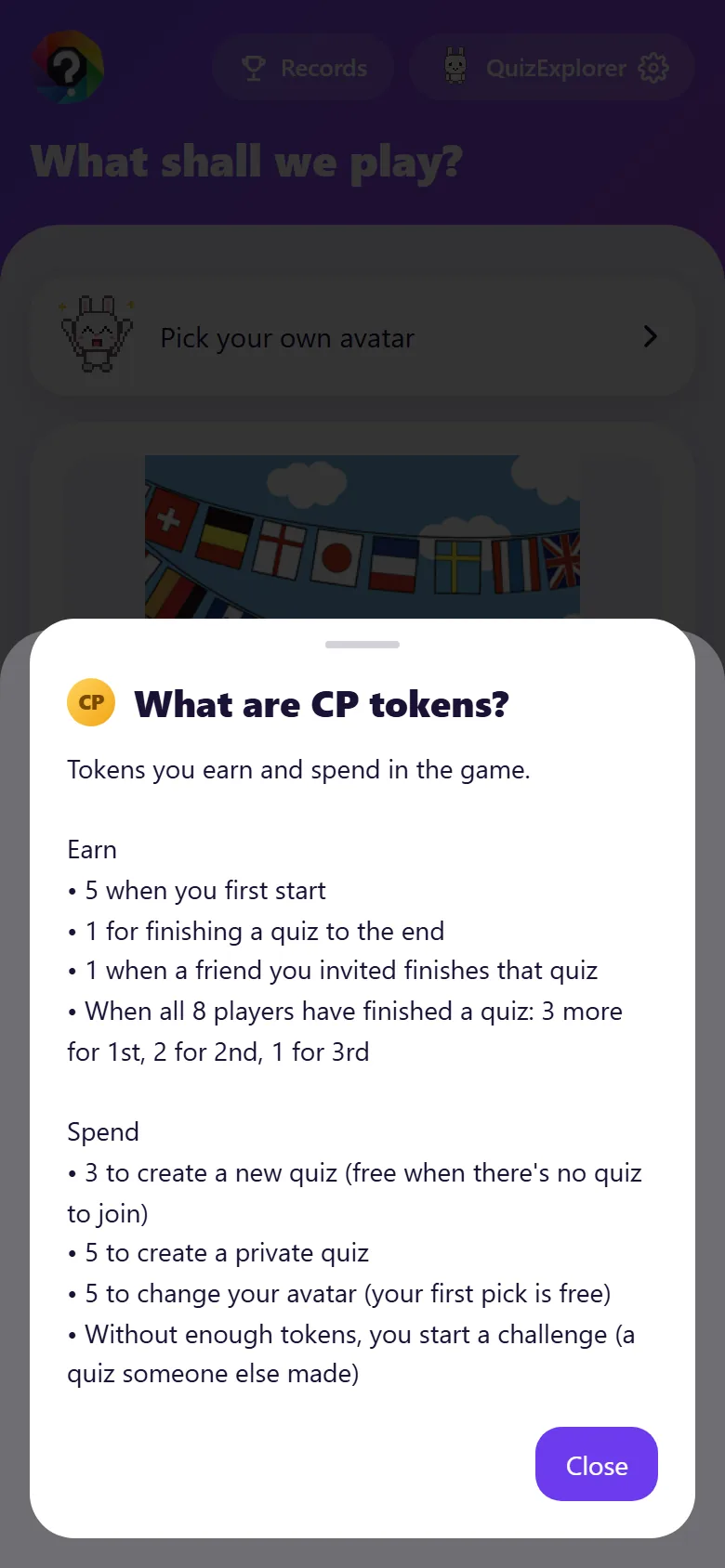
CP tokens

Tokens you earn and spend in the game. Your balance is shown in the start sheet and in Settings.

  • Earn: 5 when you first start · 1 for finishing a quiz · 1 when a friend you invited finishes that quiz
  • Rank rewards: when all 8 players have finished a quiz, 1st gets 3 more, 2nd 2 and 3rd 1.
  • Spend: 3 to create a new quiz (free if there is no quiz to join), 5 to create a private quiz, 5 to change your avatar (your first pick is free). Challenges are free.

Out of tokens? Keep playing challenges — finishing quizzes earns tokens again.

What are CP tokens? Rules for earning and spending
Tap your tokens in the start sheet to see the rules

Sharing and invites

  • Tap “Share with friends” on the result screen or in your records to make an invite message with a link. The app opens the share sheet; the web copies it to your clipboard.
  • The message has just the quiz name and the invite link — no score or answers.
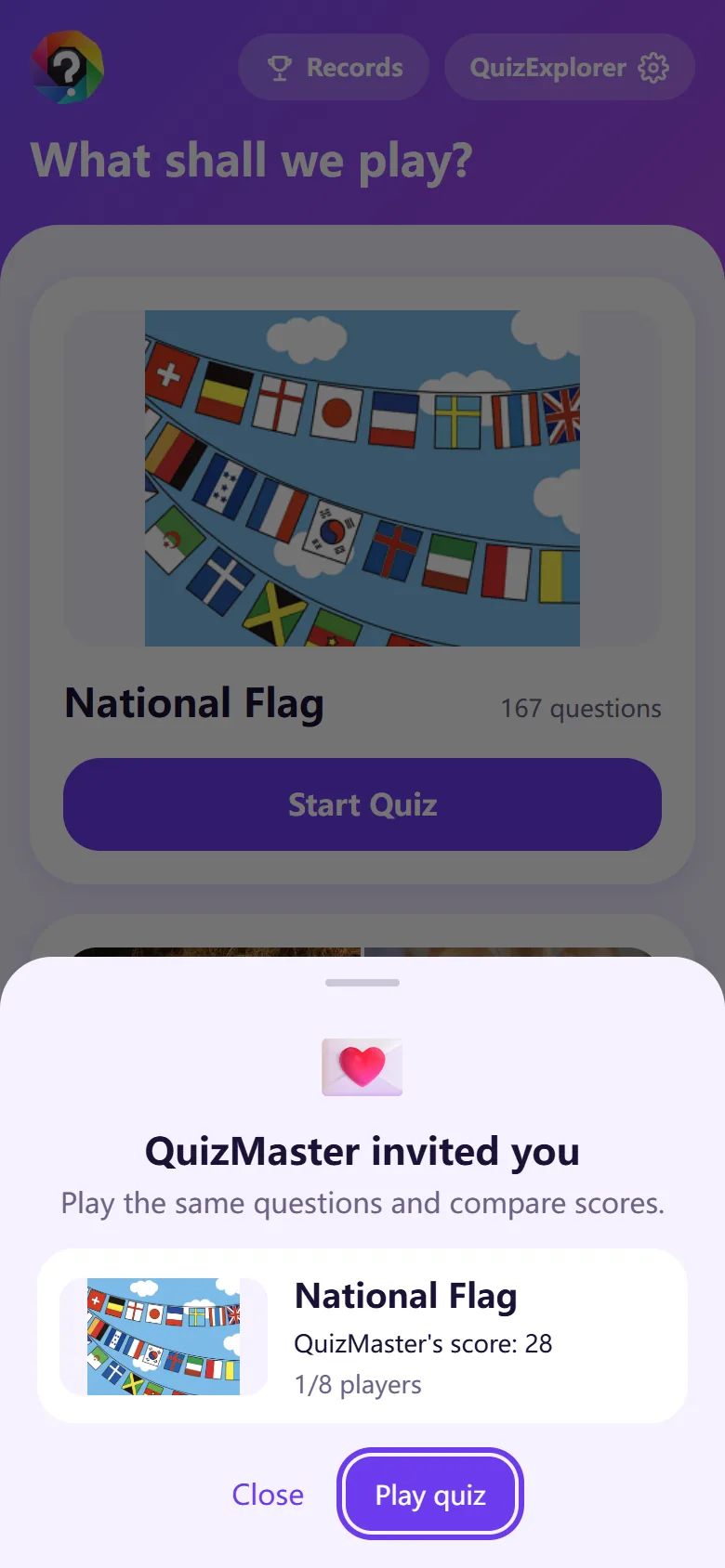
  • Friends who open the link can take the same question set right away. They are told if it is full or if they already played it.
  • When a friend finishes that quiz, you get 1 CP token too.
Invite dialog: a player invited you, with a Play quiz button
What a friend sees when opening your invite link

My Records

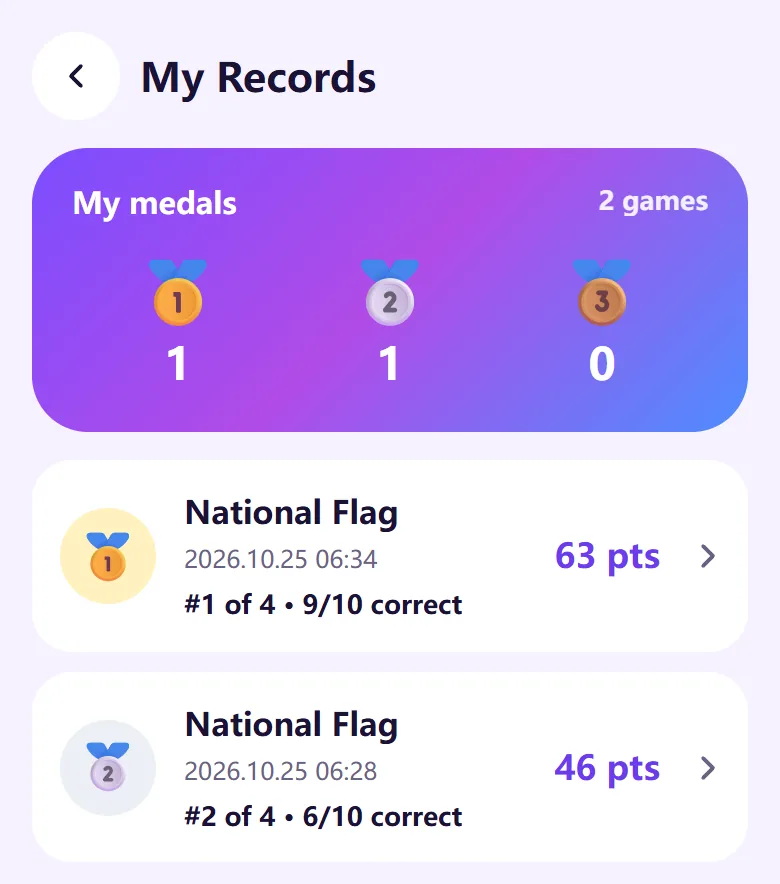
  • “Records” on the home screen shows your medals and every quiz you have played, newest first.
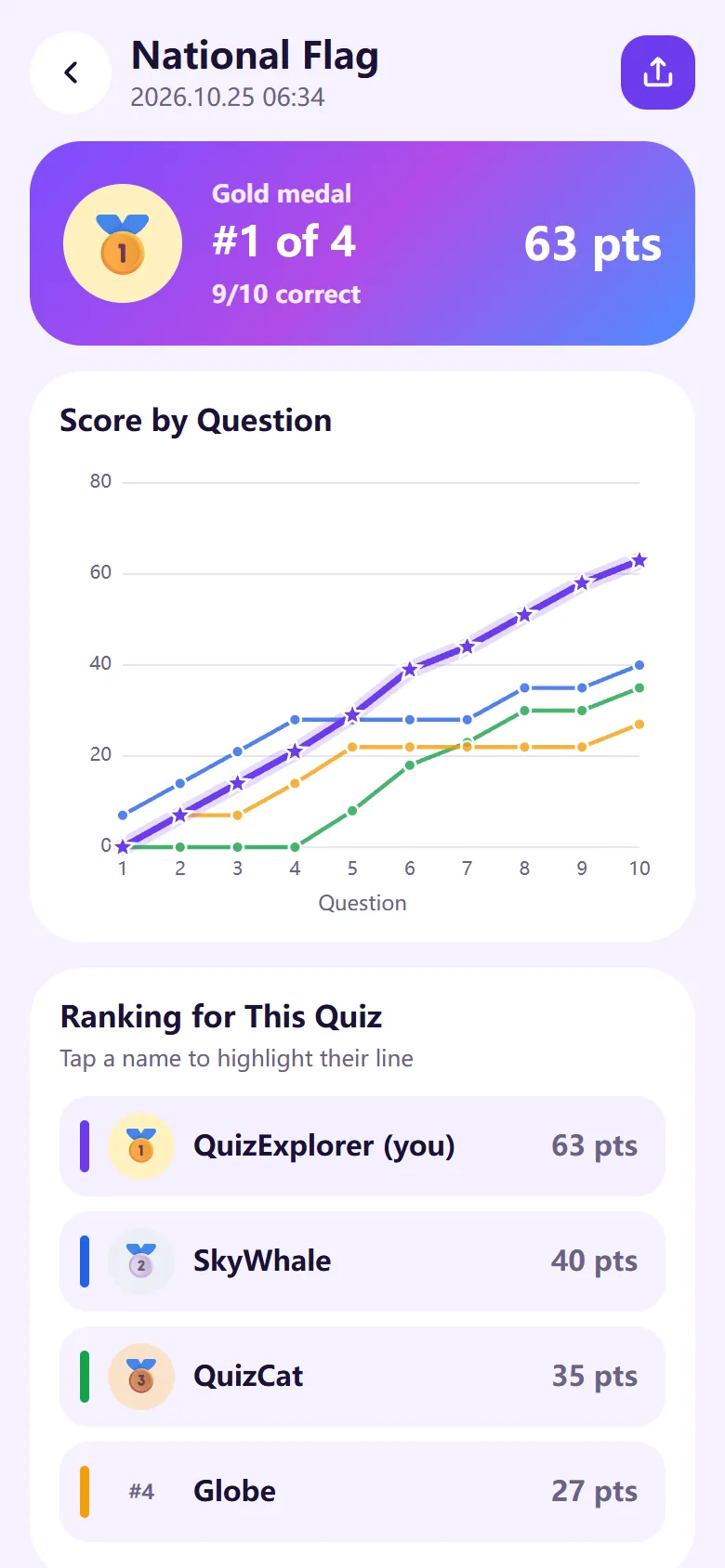
  • Tap a quiz to see a chart of how scores built up and the ranking for that quiz. Tap a name to highlight their line.
  • You can “Share with friends” from here too.
My Records: medal counts and quiz list
My Records
Score chart by question and the quiz ranking
Score by question and ranking

Reviewing questions and reporting errors

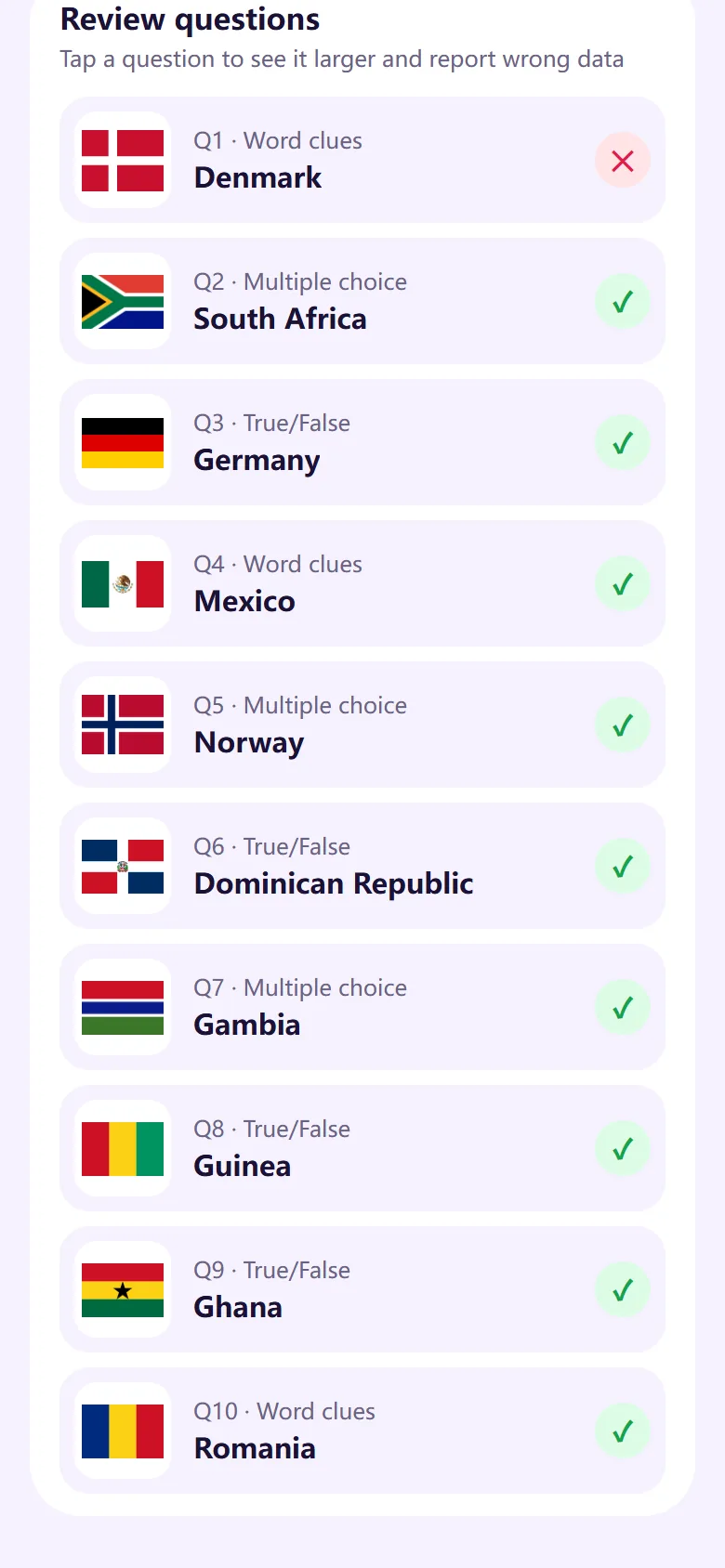
  • Under “Review questions” in a record, check your answer to each question (✓ or ✕) and tap one to see it larger.
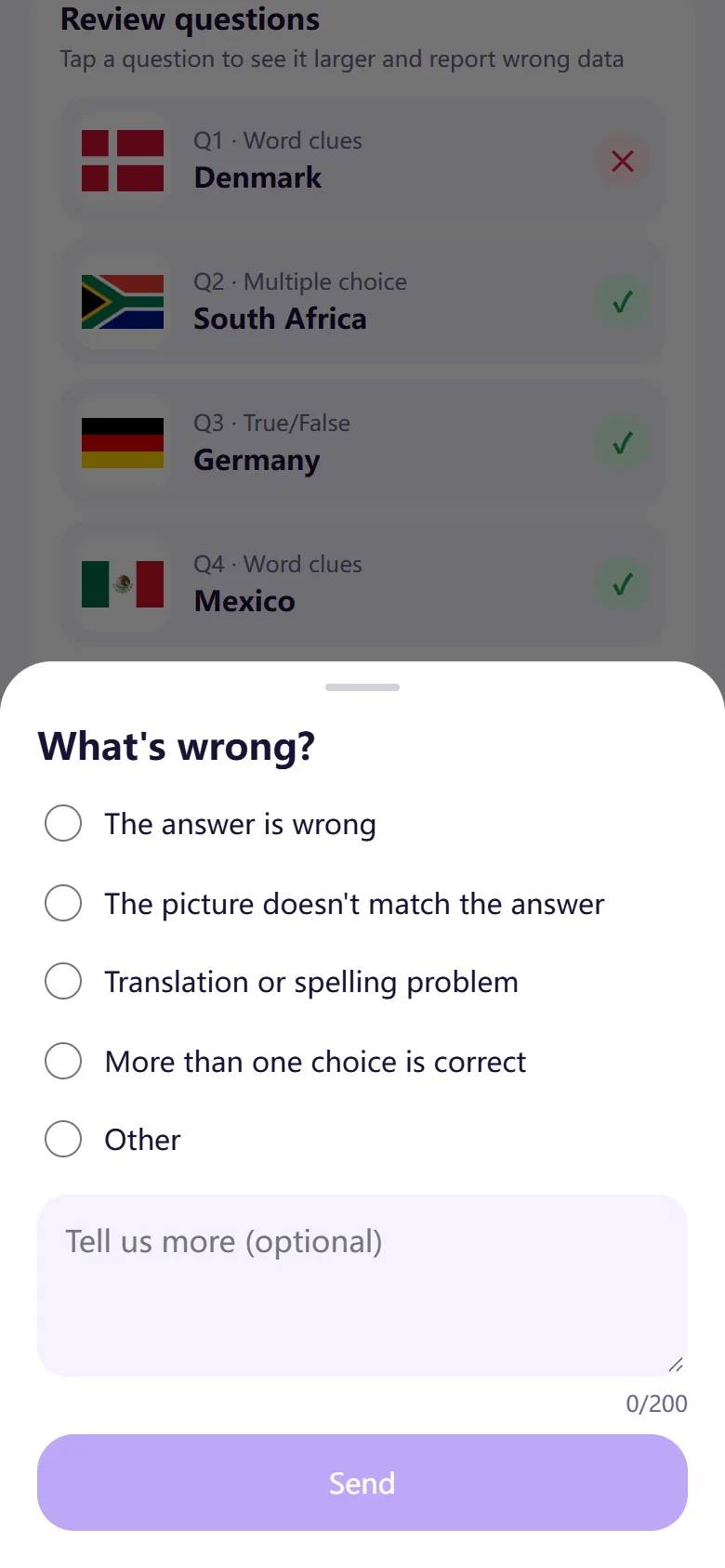
  • If the data is wrong — a wrong answer, a picture that does not match — send “Report a problem”. Choose a reason and add a comment if you like.
  • The outcome (Under review, Fixed, No problem found) appears on the same screen. Fixes do not change scores of past quizzes.
Review questions: right or wrong for each question
Review questions
What’s wrong? Five report reasons
Report a problem

Settings

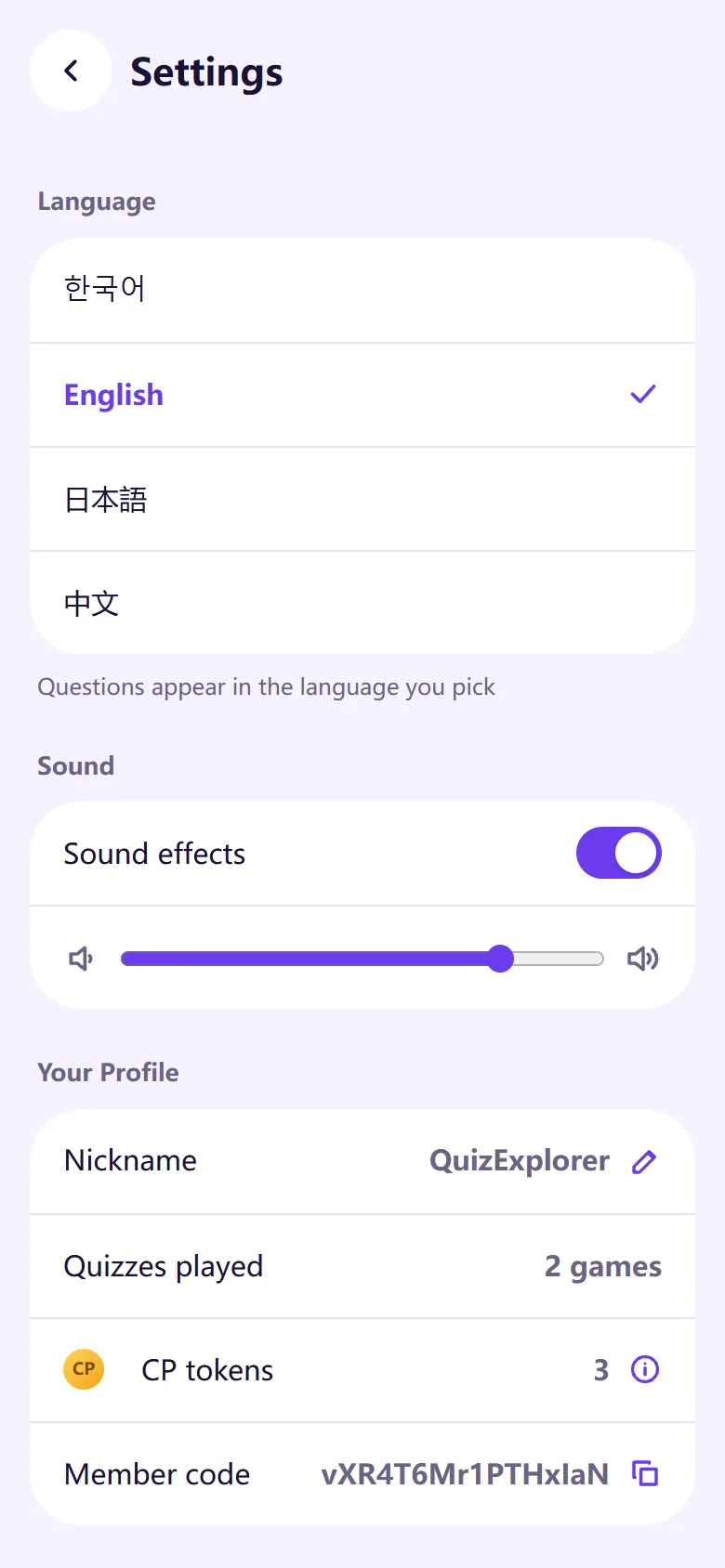
  • Language: 한국어, English, 日本語, 中文. Both the screens and the quiz questions switch.
  • Sound: sound effects on/off and volume (plus vibration in the app).
  • Your Profile: change your nickname, see quizzes played, CP tokens and your member code (include it when you contact us).
  • Delete account: your nickname and records are deleted and cannot be restored. Scores of quizzes you finished remain as “Deleted user” so other players’ rankings do not change.
Settings: language, sound and profile
Settings

Notices

  • News about new features or maintenance appears as a pop-up notice when you open the app or the web.
  • Check “Don’t show again” before closing and that notice will not appear again on that device (or browser).

Ready for a round?

Play on the web right now or get the app. It’s free.

↑ Back to top